 España
 United States of America
 United Kingdom
 Argentina
 Ireland
 México
Product
A panel for everyone, and apps for those out on the street.
The pieces of Deiviator fit together. You choose the ones your operation needs.

The panels
Organisation panel
For the dispatch centre: Drivers map, Trips and Transfers, fleet, subscribers and booking URLs. Dispatch adapts to the way you work.
Fleet panel
For the licence owner: their drivers, vehicles and trips.
Subscriber panel
For client companies: they request their trips, organise users and departments and see their invoices.
The organisation panel, from the inside
Pieces of the real panel, with data from a demo.
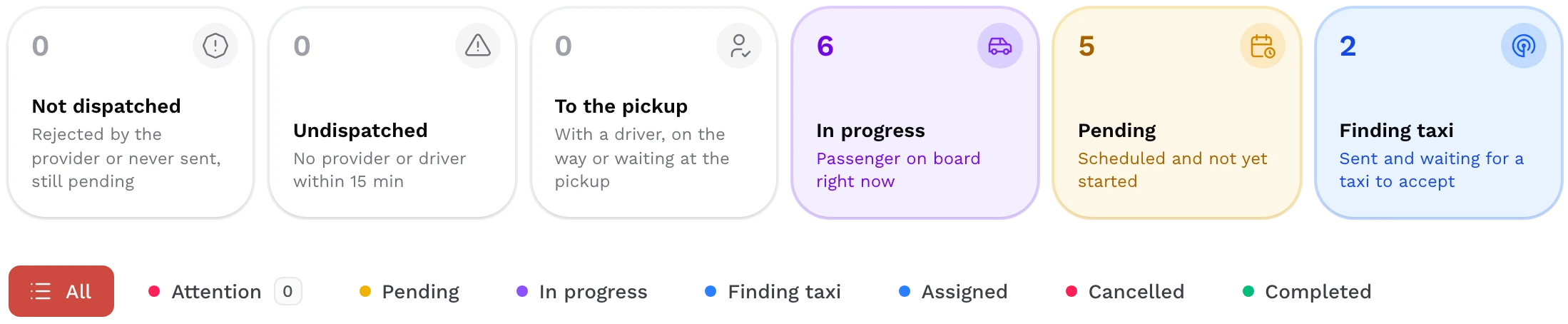
Every trip, in its status
From pending to completed: how many there are at each stage and which ones need you to step in.
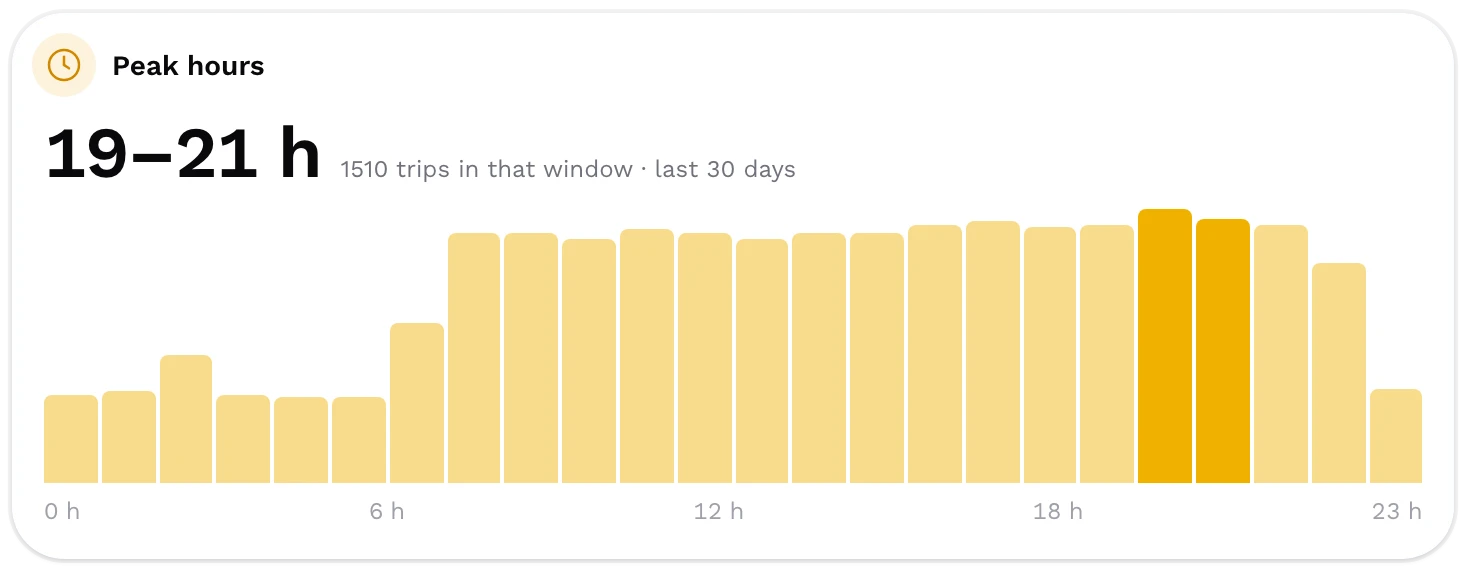
Your fleet’s peak hours
When trips bunch up, so you have more cars where they are needed.
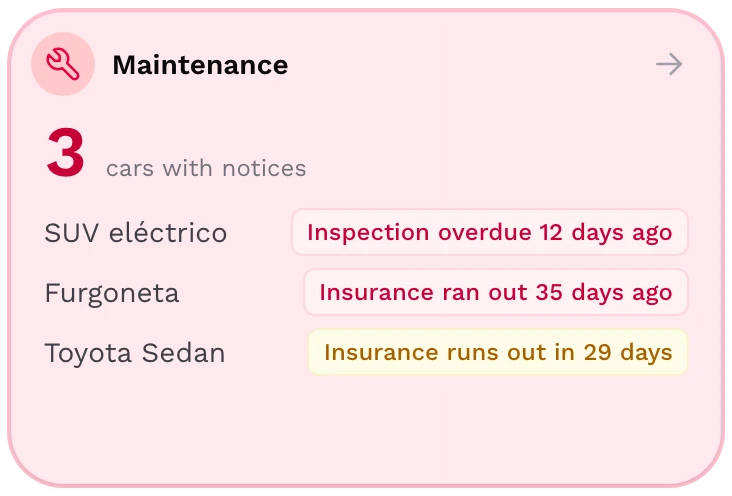
Notices before they run out
The inspection, the insurance and the servicing of each car, with the date that matters.
The apps
Deiviator Driver
The driver app: gets services and keeps their status up to date. App Store and Google Play.
Availability on request
Passenger app
With each organisation’s brand, domain and colour. Request a taxi right now or schedule it, watch it arrive, and a wallet with cashback and discount codes.
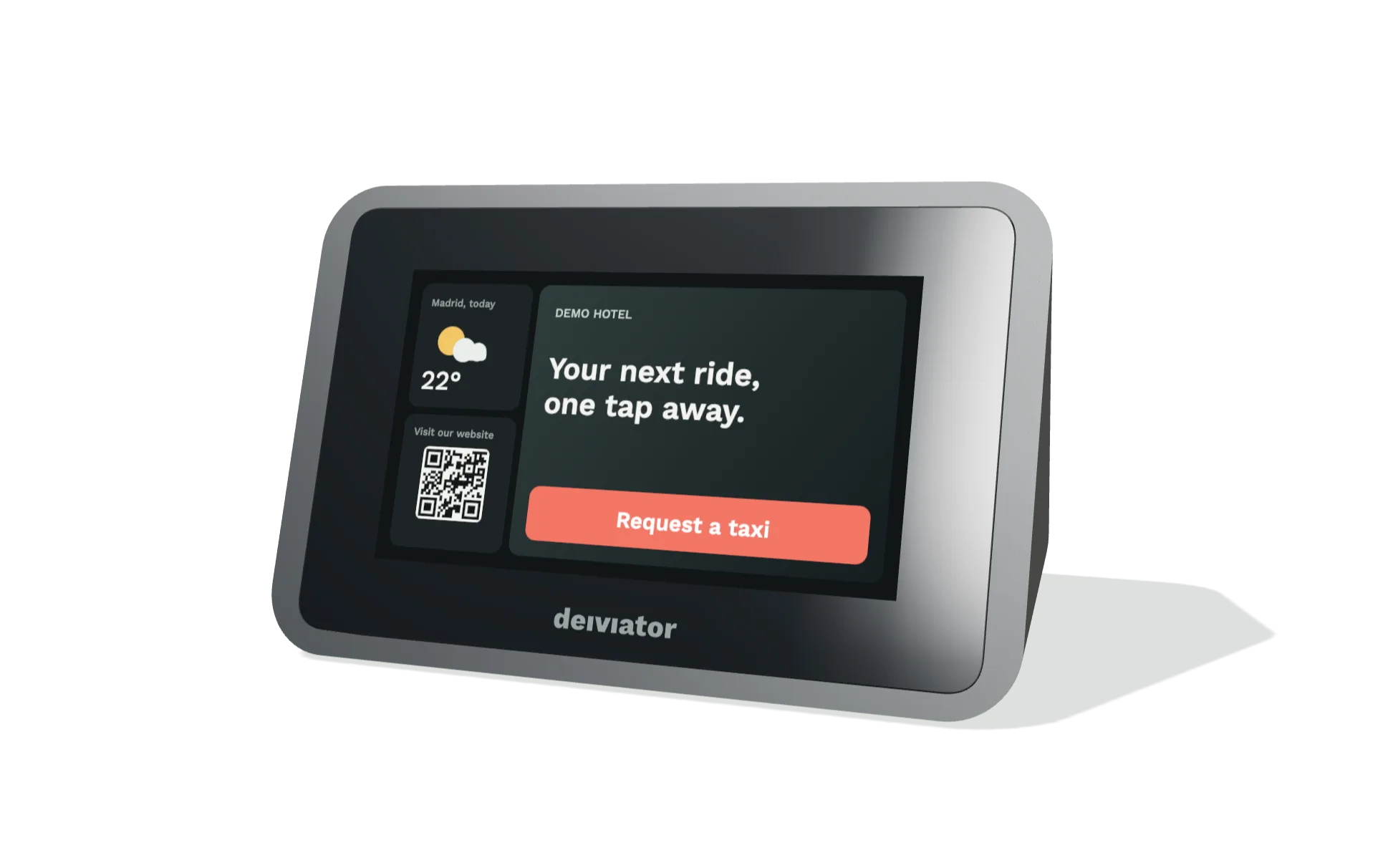
Booking Terminal: bookings from reception in one tap
It is the reception call button, or booking terminal: instant bookings from hotels, clinics and reception desks, without calling. A screen, a tap and the car on its way. Each with its destinations.
Booking URL: the same service on any screen
The web call button: an address of its own for each hotel, clinic or reception desk. It opens on the reception TV, on a tablet or on the guest’s phone, with nothing to install.

Today's services
- At the doorTaxi 0842 · 2468 KTVwaiting 2 min
- ScheduledTaxi scheduled for 18:30Going to Airport T4.